Table of Contents
Approvals
 Updated
by Niamh Ferns
Updated
by Niamh Ferns
Approvals Overview
Approvals allow your clients to have some control over what tickets make their way to you. Approval tickets are easy to set up, and in this article, we'll give you an introduction and guide on getting approvals incorporated into your service catalogues.
The Approval Workflow is triggered after a client logs a service type that's configured with an approval status. These service types are fed from and configured in the DeskDirector Admin Portal.
Approval Process
- A ticket is logged by an end user (assuming this is a ticket under an approval status)
- Then, approvers who have been selected for the client receive an email informing them that a ticket has been submitted that needs their approval. (These same people will also see the
Approvalssection in their DeskDirector Portal showing any tickets that need their approval.) - From here, they can open the ticket and approve or decline it.
- If the ticket is declined, the reason for this decision is added to the ticket as a ticket note. Whatever the decision is, the ticket status will change accordingly (Approval Granted/Declined) based on what you set in the Admin Portal. After an approval is actioned, an email is sent to all approvers letting them know that the ticket has been approved or declined.
The Approval List
As the name suggests, the approval list will show every ticket that is pending approval. It will show who submitted the ticket, when it was created, the ticket title and the ticket number.
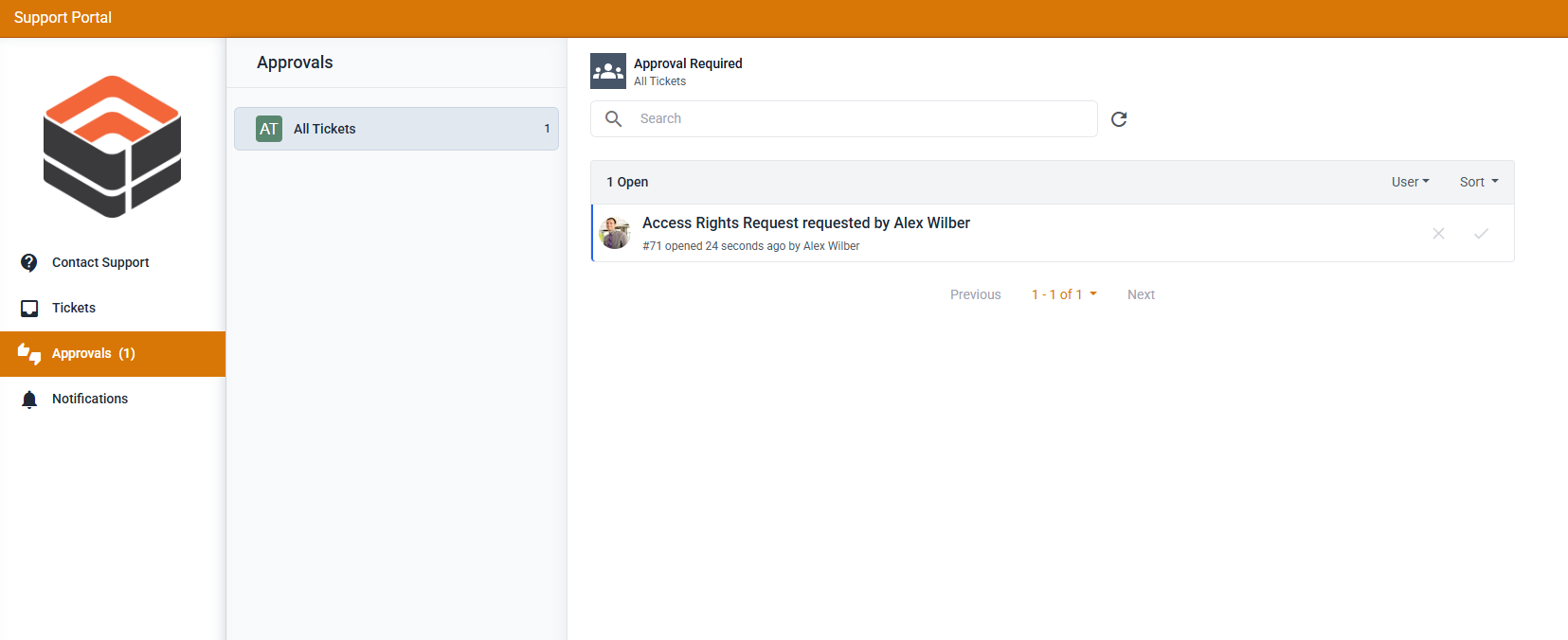
If you are looking for a specific ticket to approve, use the "Search tickets" form. You can use any keyword from the ticket title, owner, or ticket number for the search keyword.
Approving/Declining a Ticket
To approve/deny approval for a ticket, just open the ticket, review the information, and once everything looks good, scroll all the way down, and you should see this at the end of the ticket timeline.
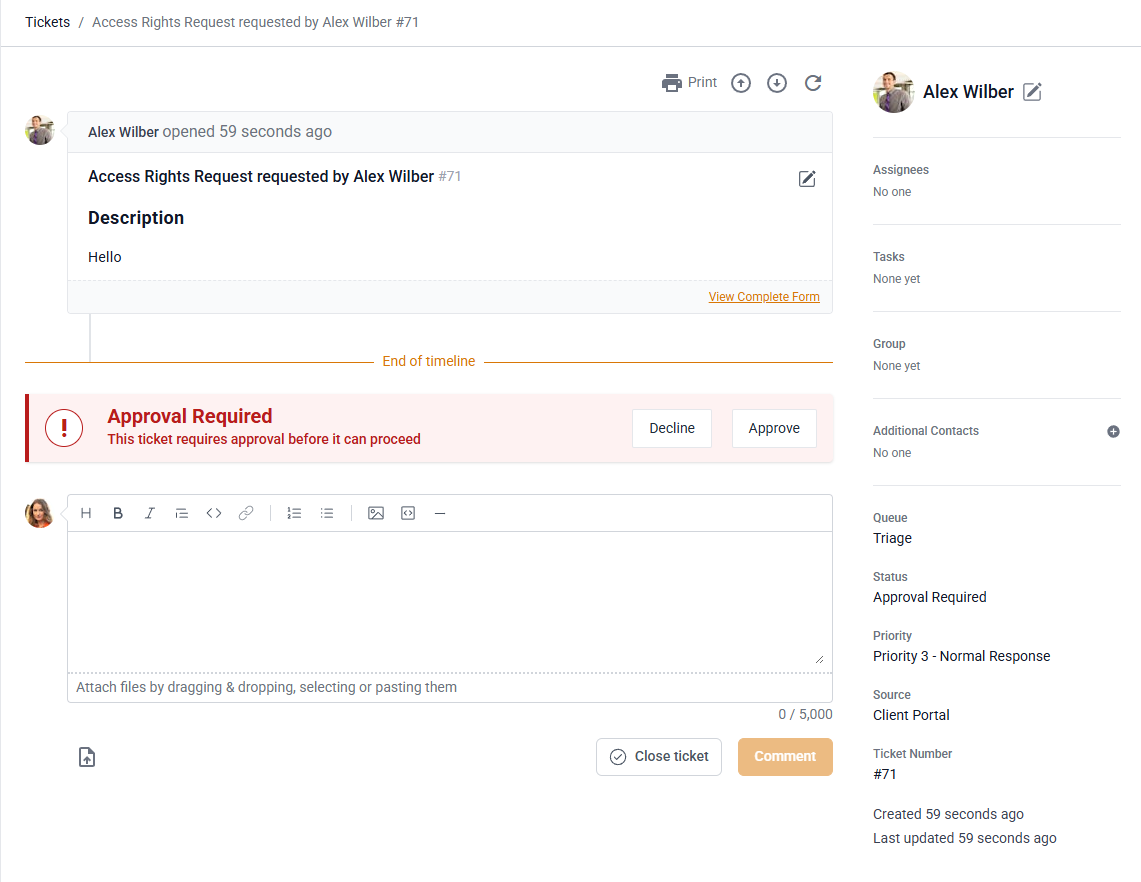
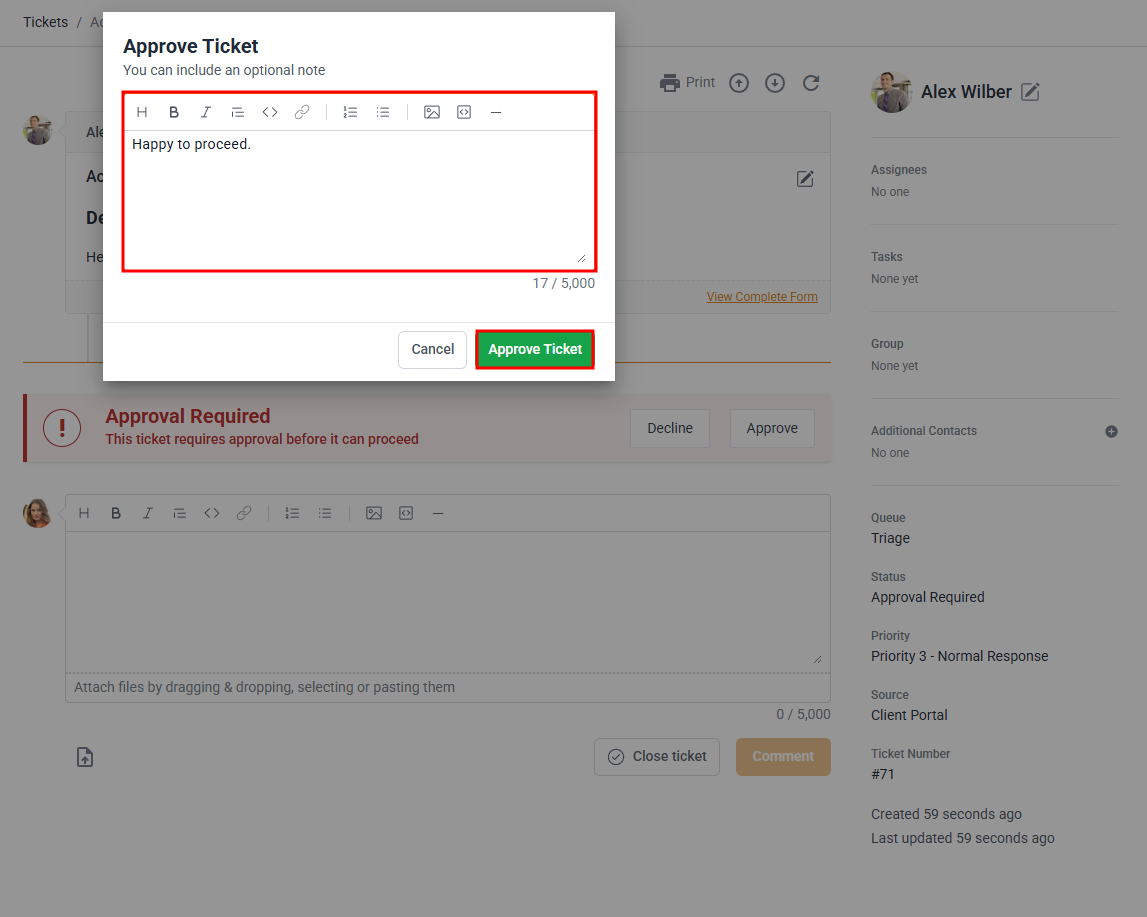
Whether you click on Decline or Approve, a pop-up will appear asking you to add a note. Any reason added to approve/decline the ticket will be added as a public ticket note.
Approval Emails
When an approval email is triggered from DeskDirector, we use your email notification settings to send the email. If there are no email senders configured, we will use the DeskDirector defaults.
Configuring Approvals
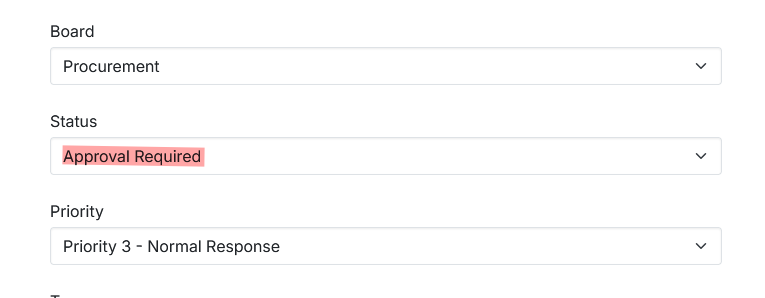
For DeskDirector to recognise tickets as requiring approval, you would need to configure a service type to be raised under an approval status or have an agent/automation change the status of an existing ticket to "Approval Required".
For users to see the approvals tab, they will need to have the approval permissions granted.
Additional Approval Settings
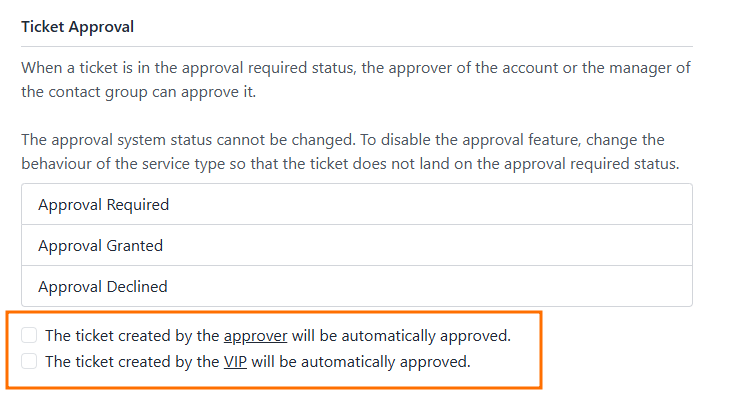
- In addition to the approval statuses, there are a pair of settings you can configure to allow approvers and VIPs to skip the approval process entirely and have their tickets automatically approved.
Approval Required for Service Types
In order to create a Service Type that requires approval, you just need to create a Service Type as usual in your Admin Console and set the status appropriately under the ticket automation tab. Any ticket submitted using this request type will inherit the approval status set for it.
Frequently Asked Questions
"Why can't I see the Approvals tab in my client portal?"
Please have an admin double-check if "Approver" permissions have been set for your account.