Table of Contents
Power Automate Administration
 Updated
by Niamh Ferns
Updated
by Niamh Ferns
Power Automate Basics
If you are new to Power Automate, there are some high-level concepts that you should be aware of regarding administration. For more in-depth information, please refer to the Microsoft Documentation.
Access & Permissions
- Flows and Solutions belong to an Environment
- Flows are only visible to certain users in an environment
- Owner, usually the creator
- Co-owners, if the owner has shared with other users
- Solutions and any flows inside solutions are visible to everyone who has access to the environment
Power Platform Admin Center
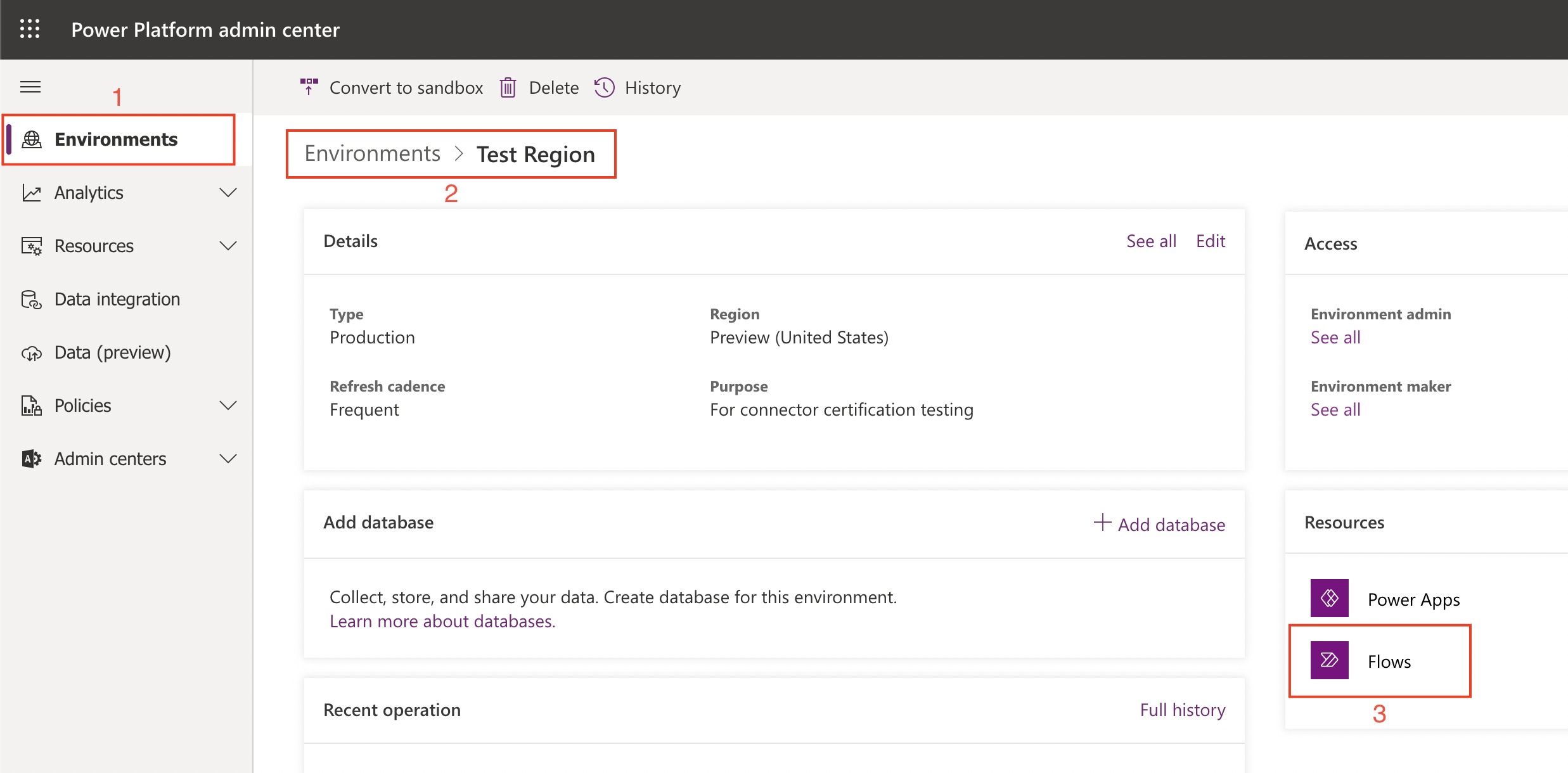
In the Power Platform Admin Center, admins can manage user access to environments and see a list of all flows that belong to that environment. To see this list, select an environment, then click on 'Flows' under the 'Resources' section.
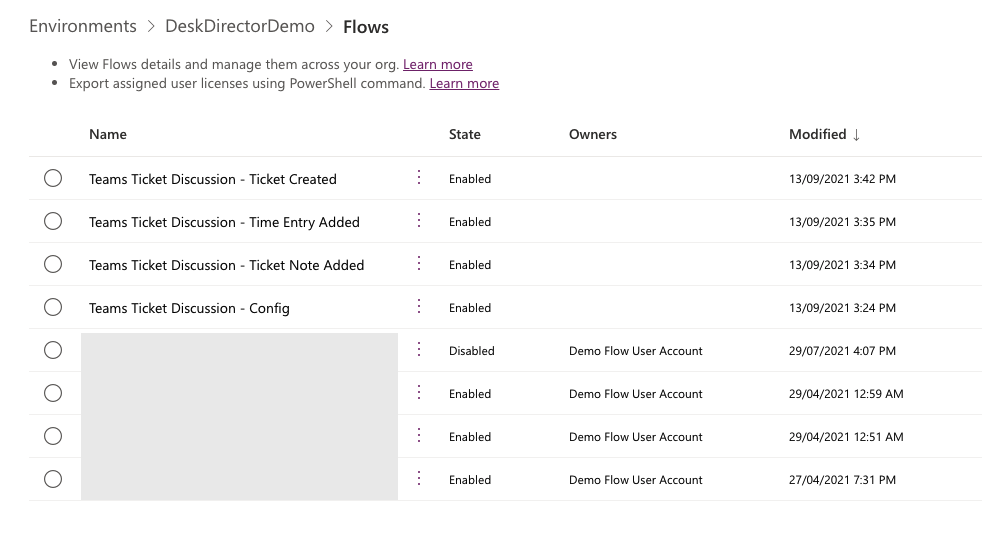
In the list of flows, if you see any that have no owner, this usually indicates they may be part of a solution. In the image below, the first four in the list are solution-aware flows, whereas the bottom four - owned by the Demo account - are just regular flows. It is also possible to add co-owners to flows as an admin. Click on the menu (three vertical dots), then 'Share'.
How do I access one of the flows in the list?
Regular Flows
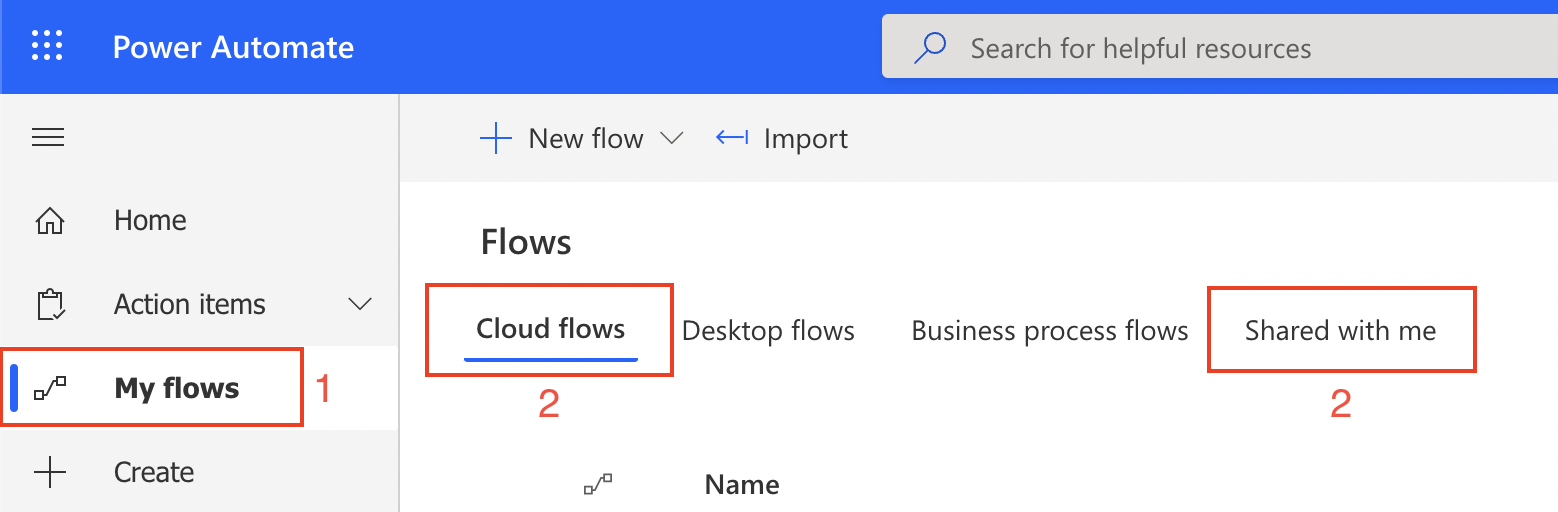
To see a regular flow, navigate to 'My flows'.
- If you are the owner, select the 'Cloud flows' tab
- If you are a co-owner, select the 'Shared with me' tab
Solution-aware Flows
Components (which include flows) inside solutions become available to any other solution in the environment. This means that a solution-aware flow could be referenced in multiple solutions, but the solutions point to a single instance of the flow.
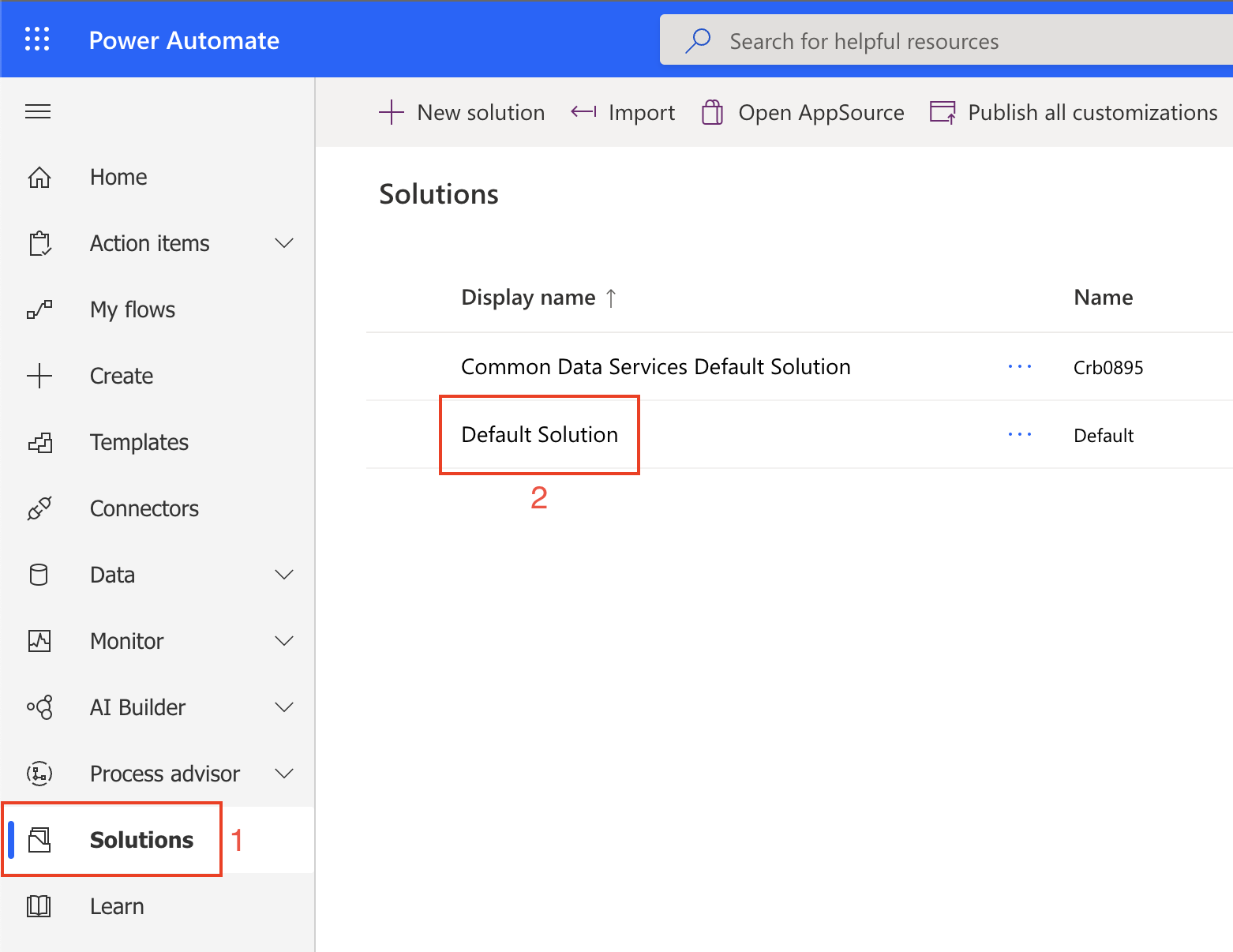
To see a solution-aware flow, navigate to 'Solutions', then to any solution that references the flow. There is currently no way to view a list of solutions that reference a particular flow, so you will need to manually look through each solution to see if there is a reference. In all of our solution templates, all components are prefixed with the solution name and are only used within that solution - there are no dependencies on any other solutions.
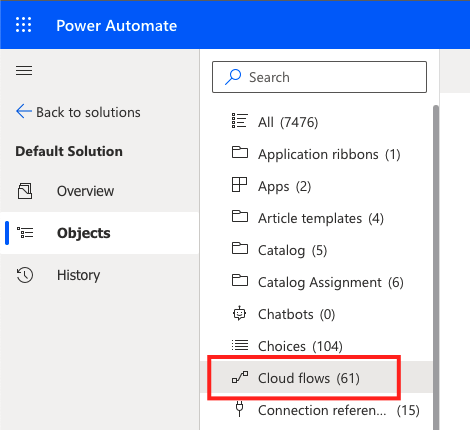
There is, however, a way to see a consolidated list of all solution components within an environment by viewing the 'Default Solution'.
How do I uninstall a flow or Solution?
Flow
- Open the flow and select Delete
- If it's a shared flow (i.e you are a co-owner), you will be deleting the original flow, not a copy of it.
Solution
- If you have a managed Solution, just delete it from your environment. It should remove all Solution components from the environment cleanly. Solution template downloads from our template gallery and also any KB pages should be of managed type.
- If you have an unmanaged Solution (maybe an early template version obtained from us), deleting the Solution will not remove the components. You will need to navigate to the Default Solution, find, and delete the components from the environment manually.
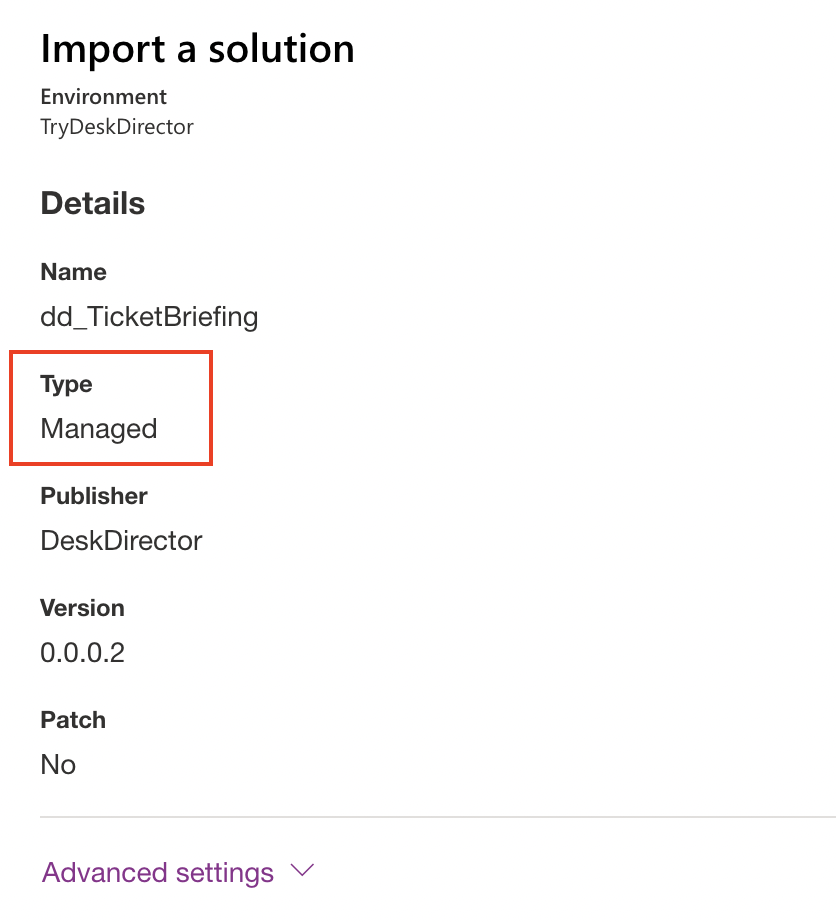
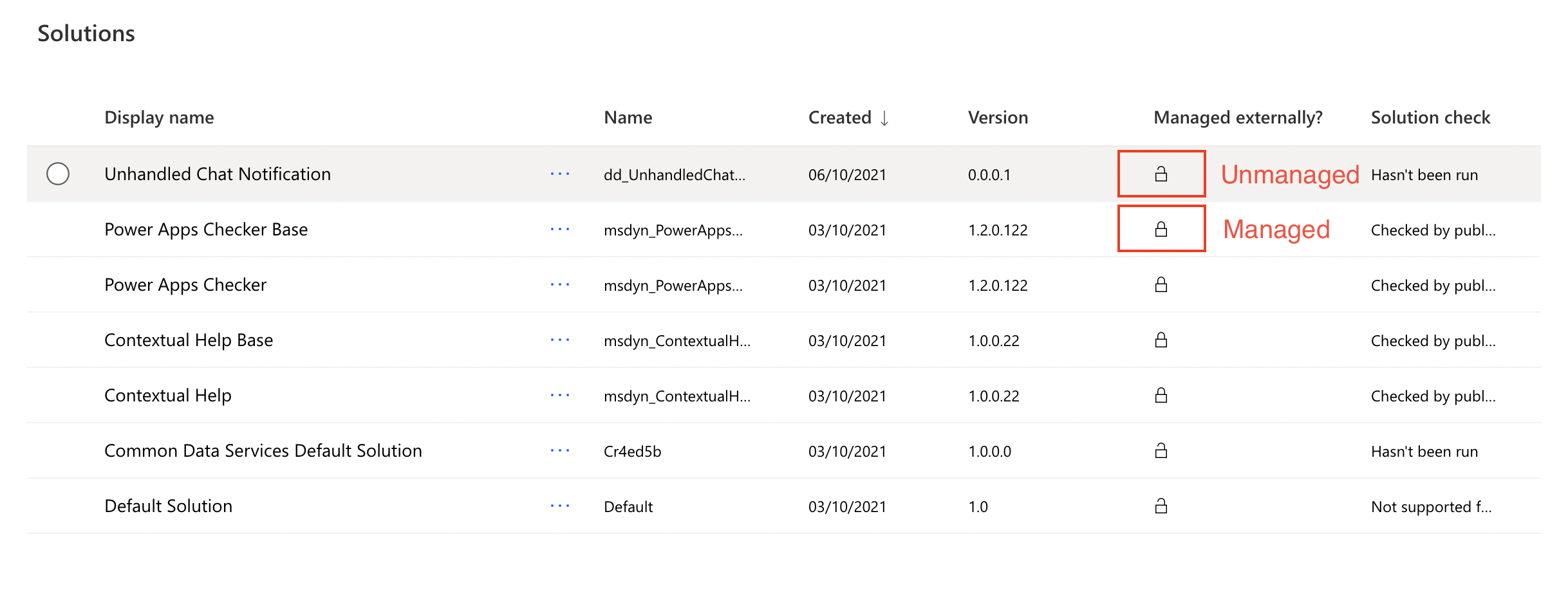
- How to tell if a Solution is managed or unmanaged:
- During Solution import
- In Solutions list overview
- During Solution import